GUIDS

How to Install IPTV Smarters on Google TV (Step-by-Step Guide)

IPTV Smarters is one of the most popular IPTV players for streaming live TV, movies, and series. If you own a Google TV device (Chromecast with Google TV, Sony TV, TCL, Hisense, etc.), this guide will show you exactly how to install IPTV Smarters on Google TV and start watching in minutes. ⚠️ Important: IPTV Smarters does not include channels. You must add an IPTV subscription using Xtream Codes or an M3U playlist. For a stable, fast, and premium IPTV service, many users recommend 👉 Prime4K.tv. ✅ What You Need Before Installing IPTV Smarters Before starting, make sure you have: 🎁 Free Trial Available:👉 https://prime4k.tv/trial 📱 WhatsApp Support: +1 587 871 8847📧 Email: support@prime4k.tv Method 1: Install IPTV Smarters Directly from Google Play Store (Recommended) ✅ This is the easiest and safest method. Method 2: Install IPTV Smarters Using Downloader (Alternative) If IPTV Smarters is not available in your region: 🔽 Downloader App (Google Play):https://play.google.com/store/apps/details?id=com.esaba.downloader How to Add IPTV Subscription to IPTV Smarters When you open IPTV Smarters: 💡 Best IPTV Source:For smooth playback, full EPG, VOD, and 4K channels, use👉 Prime4K.tv (supports IPTV Smarters perfectly) IPTV Smarters Features on Google TV Recommended IPTV Players for Google TV You can also try these IPTV players: 📥 Download players & guides here:👉 https://prime4k.tv/iptv-installation-tutorials/ Why Prime4K.tv Is Recommended for IPTV Smarters Prime4K.tv works flawlessly with IPTV Smarters and Google TV: ✔ 50,000+ Live Channels & VOD✔ 4K / FHD / HD Quality✔ Stable & Fast Servers✔ Instant Activation✔ 24/7 WhatsApp Support✔ Works on all IPTV players 🎁 Try it free now:👉 https://prime4k.tv/trial Common Issues & Fixes App not loading? Buffering issues? Final Words Installing IPTV Smarters on Google TV is simple and takes only a few minutes. Once installed, all you need is a reliable IPTV subscription to unlock thousands of channels and VOD content. 🚀 Recommended IPTV Provider:👉 https://prime4k.tv 📩 Support: support@prime4k.tv📱 WhatsApp: +1 587 871 8847
BLOG

IBO Player Not Working? Fix Black Screen, Buffering, or Infinite Loading

IBO Player is a popular IPTV player used on Smart TVs, Android TV, FireStick, and mobile devices. However, many users face issues like black screen, constant buffering, or IBO Player stuck on loading. In this guide, you’ll learn why IBO Player is not working and how to fix it step by step. 👉 For stable playlists, fast activation, and smooth playback, many users rely on Prime4K.tv as their IPTV provider. Common IBO Player Problems Users usually report one or more of the following: These problems are usually not caused by the app itself, but by settings, internet, or playlist issues. 1️⃣ Check If Your Playlist Is Active IBO Player does not include channels. You must add your own M3U link or Xtream Codes. If your playlist is expired or inactive, you will see: ✅ SolutionUse a reliable IPTV subscription that works perfectly with IBO Player. 👉 Recommended provider:🔗 https://prime4k.tv✔ Works with IBO Player✔ M3U & Xtream Codes✔ Stable servers✔ Free trial available 🎁 Free Trial: https://prime4k.tv/trial 2️⃣ Restart IBO Player & Your Device Sometimes the issue is temporary. Do this: This fixes many IBO Player loading problems. 3️⃣ Clear App Cache (Very Important) A corrupted cache can cause buffering or black screen. On Android / FireStick: ⚠️ Do not clear data unless you have your playlist details saved. 4️⃣ Check Your Internet Speed IBO Player needs a stable connection. Recommended speeds: If your internet is unstable: 5️⃣ Reload or Re-Add Playlist If channels don’t load: 👉 If you need fresh, fast playlist details compatible with IBO Player, Prime4K.tv provides optimized playlists for smooth playback. 6️⃣ Update IBO Player to Latest Version Older versions may stop working. Install or Update IBO Player Using Downloader Code 📥 Downloader Code for IBO Player: 511693 Steps: 7️⃣ Check IBO Player Activation Status IBO Player requires device activation. Without activation, channels may not load. Best IPTV Provider for IBO Player IBO Player works best with optimized IPTV playlists. ⭐ Why users choose Prime4K.tv 🌐 Website: https://prime4k.tv📧 Email: support@prime4k.tv📱 WhatsApp: +1 587 871 8847🎁 Free Trial: https://prime4k.tv/trial Compatible IPTV Players (With Downloader Codes) You can also test your playlist on other apps: Still Having Issues? If IBO Player is still not working after these fixes: 👉 Switching to a stable IPTV provider like Prime4K.tv usually fixes black screen and buffering issues instantly. More IPTV Installation & Fix Guides 📚 Click here for more tutorials:👉 https://prime4k.tv/iptv-installation-tutorials/

BLOG

EPG Not Working? How to Fix IPTV EPG Issues Easily

Electronic Program Guide (EPG) is one of the most important features of IPTV. It shows channel schedules, program names, and upcoming shows. When EPG is not working, IPTV becomes frustrating to use. In this guide, you’ll learn why IPTV EPG stops working and how to fix it step by step on FireStick, Android TV, Smart TVs, and IPTV apps. What Is EPG in IPTV? EPG (Electronic Program Guide) displays: Most IPTV players load EPG data from an external URL provided by your IPTV service. 👉 For stable EPG links and fast updates, many users rely on Prime4K.tv. Common Reasons IPTV EPG Is Not Working 1. EPG URL Is Missing or Incorrect If the EPG source URL is wrong or not added, the guide will not load. 2. IPTV App Cache Issues Cached data can cause EPG to freeze or show outdated information. 3. Slow or Unstable Internet Connection EPG requires constant data loading from servers. 4. App Not Updated Older versions of IPTV players often fail to load new EPG formats. 5. IPTV Provider EPG Server Down Sometimes the issue is on the provider’s side. How to Fix IPTV EPG Not Working (Step-by-Step) ✅ Fix 1: Reload or Refresh EPG Most IPTV apps allow you to refresh EPG manually. Example: ✅ Fix 2: Clear Cache of IPTV App Works especially well on FireStick & Android TV. Steps: ✅ Fix 3: Re-Add EPG URL If you use an M3U playlist or Xtream Codes login, re-enter the details. 👉 Prime4K.tv provides optimized M3U & Xtream Codes with working EPG. 🔗 Get a free trial here:👉 https://prime4k.tv/trial ✅ Fix 4: Check Time Zone Settings Wrong time zone can cause EPG to appear empty or shifted. ✅ Fix 5: Update IPTV App Always use the latest version. Best IPTV Players With Stable EPG Support (Downloader Codes) These players are known for strong EPG compatibility: 🔹 IPTV Smarters Pro Downloader Code: 6468112🔗 https://www.iptvsmarters.com/ 🔹 TiviMate Downloader Code: 272483🔗 https://play.google.com/store/apps/details?id=ar.tvplayer.tv 🔹 XCIPTV Player Downloader Code: 649789🔗 https://xciptvplayer.com/ 🔹 IBO Player Downloader Code: 511693🔗 https://iboplayer.com/ 🔹 VLC Media Player Downloader Code: 6505538🔗 https://www.videolan.org/ ⚠️ These apps do not include channels. You must add your own IPTV playlist. Recommended IPTV Provider for Working EPG If your EPG keeps failing, the issue is often the IPTV source. ✅ Prime4K.tv is highly recommended because it offers: 🌐 Website: 👉 https://prime4k.tv📧 Email: support@prime4k.tv📱 WhatsApp: +1 587 871 8847🎁 Free Trial: 👉 https://prime4k.tv/trial More IPTV Installation & Fix Tutorials For step-by-step IPTV guides, visit: 👉 https://prime4k.tv/iptv-installation-tutorials/ Final Thoughts If your IPTV EPG is not working, the fix is usually simple: For a smooth experience with accurate program guides, Prime4K.tv is a trusted choice used by thousands of IPTV users worldwide.

BLOG

How to Use Xtream Codes (Complete Beginner Guide)

Xtream Codes is one of the most popular and reliable methods for accessing IPTV services. It allows users to stream live TV channels, movies, and series easily using a username, password, and server URL—no complex M3U file management required. In this guide, you’ll learn what Xtream Codes is, how it works, and how to use it on any IPTV player, step by step. What Is Xtream Codes? Xtream Codes is an IPTV login system that connects IPTV players directly to a provider’s servers using: This method is faster, more stable, and easier to manage than traditional M3U playlists. 👉 Prime4K.tv fully supports Xtream Codes & M3U playlists, offering smooth streaming in HD, FHD, and 4K quality. What You Need to Use Xtream Codes Before you start, make sure you have: 🎯 Recommended IPTV Provider:👉 https://prime4k.tv 📌 Free Trial Available:👉 https://prime4k.tv/trial 📱 WhatsApp Support: +1 587 871 8847📧 Email: support@prime4k.tv Best IPTV Players That Support Xtream Codes You can use Xtream Codes on many popular IPTV apps: 🔹 IPTV Smarters Pro 🔹 XCIPTV Player 🔹 TiviMate (Android TV) 🔹 GSE Smart IPTV How to Use Xtream Codes (Step-by-Step) Step 1: Install an IPTV Player Download and install your preferred IPTV player from the links above. Step 2: Open the App & Select Login Method Choose: Login with Xtream Codes API Step 3: Enter Xtream Codes Details Fill in the following fields: 📌 If you are using Prime4K.tv, your details will be sent instantly after purchase or free trial activation. Step 4: Login & Start Streaming Click Login and wait for channels and VOD content to load. ✅ Enjoy live TV, movies, and series with no buffering. Why Use Xtream Codes Instead of M3U? ✔ Faster loading✔ Automatic updates✔ Better EPG support✔ More stable connections✔ No broken playlist links That’s why Prime4K.tv recommends Xtream Codes for the best IPTV experience. Best IPTV Service for Xtream Codes (Recommended) 🔥 Prime4K.tv – Trusted IPTV Provider 🎁 Try it FREE today:👉 https://prime4k.tv/trial 🌐 Official Website:👉 https://prime4k.tv 📱 WhatsApp: +1 587 871 8847📧 Email: support@prime4k.tv Need More IPTV Setup Guides? For more step-by-step IPTV tutorials, visit: 👉 https://prime4k.tv/iptv-installation-tutorials/ You’ll find guides for: Final Thoughts Using Xtream Codes is the easiest and most reliable way to enjoy IPTV. With the right player and a trusted provider like Prime4K.tv, you’ll get smooth streaming, fast loading, and premium content without hassle. ✅ Get started today with a FREE IPTV trial:👉 https://prime4k.tv/trial

BLOG

Best IPTV Providers to Use This Year

Internet Protocol Television (IPTV) has become the go-to solution for watching live TV, sports, movies, and series worldwide. With thousands of IPTV providers available, choosing a reliable, fast, and stable IPTV service can be challenging. In this guide, we’ll explain what makes a good IPTV provider and why Prime4K.tv stands out as one of the best IPTV providers to use this year. What Makes the Best IPTV Provider? Before choosing an IPTV service, make sure it offers: ⭐ Recommended IPTV Provider: Prime4K.tv After testing multiple services, Prime4K.tv is highly recommended for its performance, channel quality, and customer support. 🔥 Why Choose Prime4K.tv? 👉 Official Website:🔗 https://prime4k.tv 🎁 Get Free Trial Now:🔗 https://prime4k.tv/trial 📧 Email Support:support@prime4k.tv 📱 WhatsApp Support:+1 587 871 8847 IPTV Players Compatible with Prime4K.tv Prime4K.tv works perfectly with all major IPTV players. Here are the best IPTV players with download links: ▶ IPTV Smarters Pro ▶ TiviMate ▶ XCIPTV Player ▶ VLC Media Player ▶ IBO Player All these players support M3U links and Xtream Codes provided by Prime4K.tv. How to Get IPTV Playlist (M3U & Xtream Codes) When you subscribe to Prime4K.tv, you receive: This allows easy setup on any IPTV player within minutes. Is IPTV Legal? IPTV technology itself is legal. However, legality depends on content licensing in your country.We recommend using IPTV responsibly and following local laws. Final Verdict If you’re looking for a fast, reliable, and high-quality IPTV provider, Prime4K.tv is one of the best IPTV providers to use this year. With free trials, excellent support, and wide device compatibility, it’s an ideal choice for beginners and advanced users alike. 📘 More IPTV Installation Tutorials For step-by-step setup guides for FireStick, Android, Smart TVs, and more: 👉 Click here:🔗 https://prime4k.tv/iptv-installation-tutorials/

BLOG

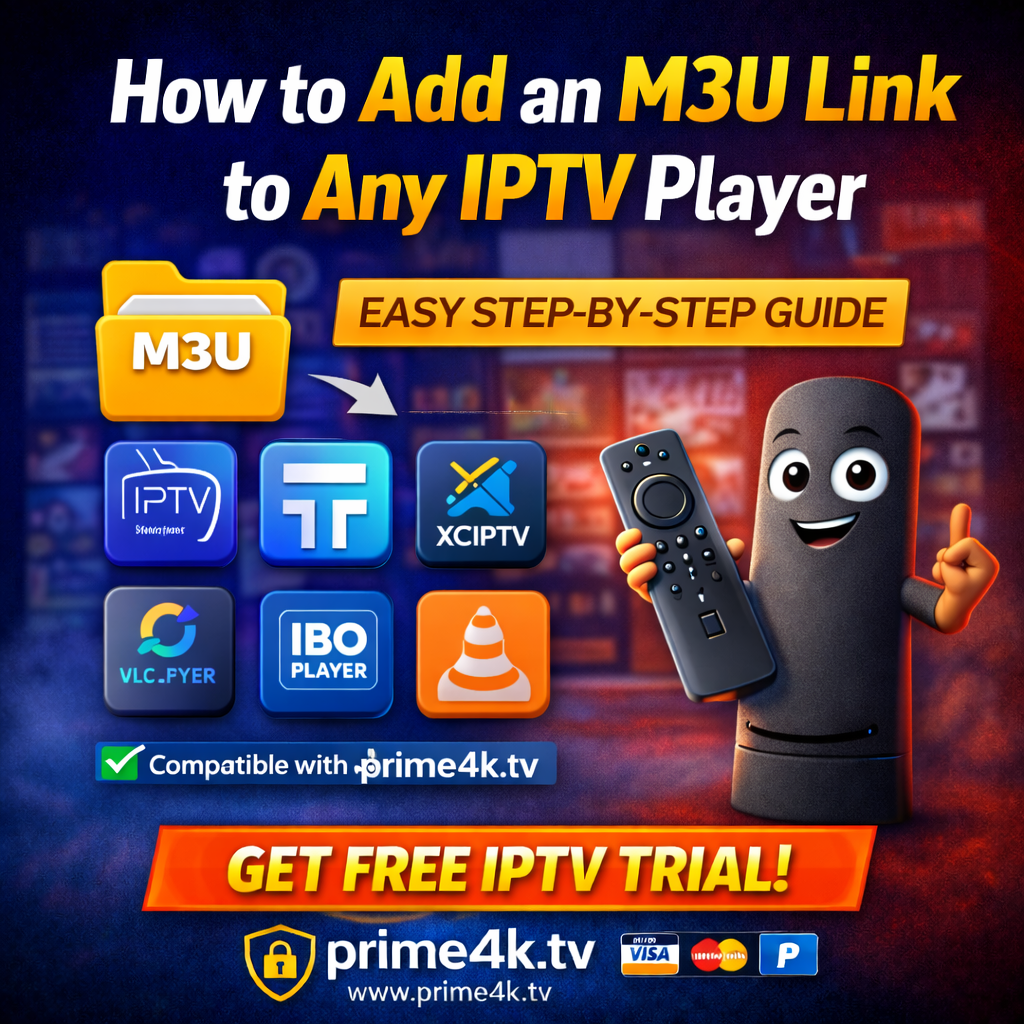
How to Add an M3U Link to Any IPTV Player

Adding an M3U link to an IPTV player is one of the easiest ways to watch live TV channels, movies, and series on Smart TVs, FireStick, Android, iOS, Windows, and macOS.In this guide, we’ll show you how to add an M3U playlist to any IPTV player, plus recommend a reliable IPTV source that works perfectly with all major apps. ✅ What Is an M3U Link? An M3U link is a playlist URL that contains streaming channels provided by an IPTV service.Once added to a compatible IPTV player, it automatically loads: ⚠️ IPTV players do NOT come with channels. You must add your own legal IPTV subscription. ⭐ Recommended IPTV Source (Works With All Players) For a stable, high-quality IPTV playlist compatible with M3U & Xtream Codes, many users trust: 👉 Official Website: https://prime4k.tv🎁 Free Trial: https://prime4k.tv/trial Why Prime4K.tv? ✔ Works with all IPTV players✔ M3U & Xtream Codes supported✔ 4K / FHD / HD / SD quality✔ Fast activation✔ 24/7 support✔ Compatible with FireStick, Smart TVs, Android, iOS, PC 📧 Email: support@prime4k.tv📱 WhatsApp: +1 587 871 8847 🔥 How to Add an M3U Link to Any IPTV Player The process is very similar across most apps. Follow these universal steps: Step 1: Install an IPTV Player Download any IPTV player from your device’s app store or via Downloader (FireStick / Android TV). Popular IPTV players: Step 2: Open the IPTV App Launch the IPTV player and look for one of the following options: Step 3: Enter Your M3U Link You will be asked to enter: 👉 If you are using Prime4K.tv, your M3U link will be sent after activation. Click Save / Add / Login Step 4: Restart the App Restart the IPTV player and wait a few seconds.Your channels, movies, and series will load automatically. ✅ Done! 📲 How to Add M3U Link on Popular IPTV Players 🔹 IPTV Smarters Pro Downloader Code: 6468112 Steps: 🔹 TiviMate Downloader Code: 272483 Steps: 🔹 IBO Player Downloader Code: 511693 Steps: 💡 Works perfectly with Prime4K.tv playlists 🔹 XCIPTV Player Downloader Code: 649789 Steps: 🔹 VLC Player (PC / Android) Downloader Code: 6505538 Steps: 🔐 Legal & Safety Notice IPTV players are legal media players.You are responsible for using IPTV playlists from legitimate sources. 👉 For a trusted and stable IPTV service, visit:https://prime4k.tv ❓ Common Problems & Fixes M3U link not working? Channels buffering? 📚 More IPTV Installation Tutorials For step-by-step guides on all devices and apps, visit: 👉 IPTV Installation Tutorials:https://prime4k.tv/iptv-installation-tutorials/ 🚀 Final Thoughts Adding an M3U link to any IPTV player is quick and easy once you have the right playlist.With a reliable IPTV provider like Prime4K.tv, you get smooth streaming, fast support, and compatibility with all major players. 🎁 Try it now: https://prime4k.tv/trial
BLOG

Best IPTV Providers for FireStick

FireStick has become one of the most popular streaming devices worldwide, and IPTV services make it even more powerful. With the right IPTV provider, you can access live TV, movies, series, sports, and international channels directly on your FireStick. In this guide, we’ll explain what makes a good IPTV provider, which IPTV players work best on FireStick, and why Prime4K.tv is one of the most trusted IPTV providers for FireStick users. What Makes an IPTV Provider Best for FireStick? Before choosing an IPTV service, make sure it offers: ⭐ Best IPTV Provider for FireStick – Prime4K.tv (Recommended) When it comes to reliability, quality, and support, Prime4K.tv stands out as one of the best IPTV providers for FireStick. Why Choose Prime4K.tv? 👉 Official Website:🔗 https://prime4k.tv 👉 Free IPTV Trial:🔗 https://prime4k.tv/trial 📧 Email: support@prime4k.tv📱 WhatsApp: +1 587 871 8847 Prime4K.tv works seamlessly with all major IPTV players listed below. Best IPTV Players for FireStick (Downloader Codes Included) ⚠️ Important: IPTV players do NOT include channels.You must add your own IPTV subscription, such as Prime4K.tv. 1️⃣ IPTV Smarters Pro Downloader Code: 6468112 One of the most popular IPTV players for FireStick. Features: 🔗 Works perfectly with Prime4K.tv 2️⃣ TiviMate IPTV Player Downloader Code: 272483 Best choice for FireStick users who want a premium TV-like interface. Features: 🔗 Optimized for Prime4K.tv playlists 3️⃣ IBO Player Downloader Code: 511693 A premium IPTV player with a smooth experience. Features: 🔗 Prime4K.tv provides reliable playlists for IBO Player 4️⃣ XCIPTV Player Downloader Code: 649789 Lightweight and fast IPTV player. Features: 🔗 Highly compatible with Prime4K.tv 5️⃣ VLC Media Player Downloader Code: 6505538 A universal media player that also supports IPTV. Features: 🔗 Use with Prime4K.tv M3U links How to Install IPTV on FireStick (Quick Steps) Free IPTV Trial for FireStick Users If you want to test before subscribing, Prime4K.tv offers a free IPTV trial compatible with FireStick and all major IPTV players. 👉 Start Free Trial:🔗 https://prime4k.tv/trial More IPTV Installation Tutorials For step-by-step guides on installing IPTV on different devices and apps, visit: 🔗 https://prime4k.tv/iptv-installation-tutorials/ Final Verdict If you’re searching for the best IPTV provider for FireStick, you need a service that is stable, compatible, and easy to use. ✅ Prime4K.tv checks all the boxes and works flawlessly with IPTV Smarters, TiviMate, IBO Player, XCIPTV, VLC, and more. 👉 Visit https://prime4k.tv and start streaming today.
BLOG

Best IPTV Apps for FireStick

Watching IPTV on Amazon FireStick is one of the most popular ways to enjoy live TV, sports, movies, and series on a big screen. Choosing the best IPTV apps for FireStick ensures smooth streaming, fast loading, and a better overall viewing experience. In this guide, we’ll cover the top IPTV apps for FireStick, how to install them, and why Prime4K.tv is the recommended source for IPTV playlists using M3U & Xtream Codes. ✅ Why Use IPTV Apps on FireStick? FireStick is powerful, affordable, and easy to use. With the right IPTV app, you can enjoy: ⚠️ IPTV apps do not include channels. You must connect them to an IPTV service. ⭐ Best IPTV Apps for FireStick 1️⃣ IPTV Smarters Pro Best all-around IPTV player Features: Downloader Code: 78522🔗 https://www.iptvsmarters.com/ 2️⃣ TiviMate IPTV Player Best interface & performance Features: Downloader Code: 272483🔗 https://tivimate.com/ 3️⃣ XCIPTV Player Lightweight & fast Features: Downloader Code: 49220 4️⃣ IBO Player Excellent for FireStick & Smart TVs Features: 🔗 https://iboplayer.com/ 5️⃣ GSE Smart IPTV Advanced & customizable IPTV app Features: 🔗 https://gseiptv.app/ 🔥 Recommended IPTV Provider for FireStick To enjoy any IPTV app without buffering or freezing, you need a high-quality IPTV service. ⭐ Why Choose Prime4K.tv? Prime4K.tv is trusted by FireStick users for its stability and performance. ✅ Fast & stable servers✅ HD / FHD / 4K quality✅ Works with all IPTV apps✅ Supports Xtream Codes & M3U✅ 24/7 customer support 🔗 Official Website:👉 https://prime4k.tv 🎁 FREE TRIAL:👉 https://prime4k.tv/trial 📧 Email:support@prime4k.tv 📱 WhatsApp:+1 587 871 8847 🛠 How to Install IPTV Apps on FireStick Most IPTV apps can be installed using the Downloader app. Installation Steps: 📘 More IPTV installation tutorials:👉 https://prime4k.tv/iptv-installation-tutorials/ 🚀 Final Thoughts For the best IPTV experience on FireStick, combine: ✔ A reliable IPTV app (IPTV Smarters, TiviMate, XCIPTV)✔ A premium IPTV provider (Prime4K.tv) This setup ensures smooth streaming, fast loading, and minimal buffering.

BLOG

IPTV Keeps Buffering — Solutions That Actually Work

IPTV buffering is one of the most common problems users face when streaming live TV, movies, or sports. Constant freezing, loading circles, or low-quality playback can ruin the experience. The good news? Most IPTV buffering issues can be fixed easily with the right setup and provider. In this guide, we’ll explain why IPTV keeps buffering and share proven solutions to stop it permanently. Why Does IPTV Keep Buffering? IPTV buffering usually happens due to one or more of the following reasons: 👉 Choosing a stable IPTV provider like prime4k.tv makes a huge difference. Quick Fix Checklist (Start Here) Before diving deep, try these quick fixes: 1️⃣ Improve Your Internet Connection For smooth IPTV streaming, your internet speed should be: If possible: 2️⃣ Use a High-Quality IPTV Provider Many buffering problems come from cheap or overloaded IPTV servers. ✅ A reliable provider like prime4k.tv offers: 🌐 Website: https://prime4k.tv🎁 Free Trial: https://prime4k.tv/trial📧 Email: support@prime4k.tv📱 WhatsApp: +1 587 871 8847 3️⃣ Adjust Buffer Settings in Your IPTV Player Most IPTV players allow buffer adjustments. Recommended Players (with Downloader Codes) IPTV Smarters ProDownloader Code: 6468112 TiviMateDownloader Code: 272483 IBO PlayerDownloader Code: 511693 XCIPTV PlayerDownloader Code: 649789 VLC PlayerDownloader Code: 6505538 👉 Inside the app: 4️⃣ Use a VPN to Prevent ISP Throttling Some ISPs slow down streaming traffic during peak hours. A VPN can: Recommended VPNs: Use VPN only if buffering happens mostly at night or during live sports. 5️⃣ Switch to Xtream Codes Instead of M3U If your IPTV provider supports both, Xtream Codes are more stable than M3U playlists. Prime4K.tv provides: Optimized for all major IPTV players. 6️⃣ Reduce Channel Load If your app struggles: Less load = smoother playback. 7️⃣ Update Your Device & App Outdated software causes buffering. ✔ Update your IPTV app✔ Update your TV box / FireStick firmware✔ Clear cache regularly Best IPTV Players for Buffer-Free Streaming All work perfectly with prime4k.tv. Recommended IPTV Provider (No Buffering) All IPTV players need a quality playlist or Xtream Codes login. ⭐ Prime4K.tv is strongly recommended because it offers: ✔ 50,000+ Live Channels & VOD✔ 4K / FHD / HD quality✔ Fast activation✔ 24/7 support✔ Works on all IPTV apps 🔗 Website: https://prime4k.tv🎁 Free Trial: https://prime4k.tv/trial Final Thoughts If IPTV keeps buffering, the issue is rarely the app itself.In most cases, switching to a better IPTV provider, improving internet stability, and using the right player settings will solve the problem completely. For step-by-step setup guides, visit:👉 https://prime4k.tv/iptv-installation-tutorials/
GUIDS

How to Install IPTV on XCIPTV Player (Step-by-Step Guide)

XCIPTV Player is one of the most powerful and lightweight IPTV players available today. It works perfectly on Android, Android TV, Firestick, TV Boxes, and Smart TVs, offering smooth streaming, EPG support, and built-in media players. In this guide, you’ll learn how to install IPTV on XCIPTV Player, how to add your IPTV playlist, and why Prime4K.tv is the recommended IPTV provider for the best experience. What Is XCIPTV Player? XCIPTV Player is a professional IPTV player app that allows users to stream live TV, movies, series, and catch-up content using: ⚠️ Important: XCIPTV Player does NOT include channels. You must use an IPTV subscription from a provider. 👉 For stable servers, fast activation, and premium playlists, we recommend Prime4K.tv. Devices Supported by XCIPTV Player XCIPTV Player works on: Step 1: Install XCIPTV Player Option 1: Install from Google Play Store Option 2: Install Using Downloader (Firestick & Android TV) 👉 Downloader Code for XCIPTV Player: 649789 Step 2: Get Your IPTV Login Details To use XCIPTV Player, you’ll need Xtream Codes or an M3U playlist. 🎯 The easiest and most reliable option is Xtream Codes, which you get after subscribing to Prime4K. 👉 Get a FREE IPTV Trial:🔗 https://prime4k.tv/trial Step 3: Add IPTV to XCIPTV Player (Xtream Codes – Recommended) ✅ That’s it! You now have access to Live TV, Movies, Series, and EPG. Alternative Method: Add IPTV via M3U Playlist 📌 Note: Xtream Codes offer better stability and EPG support. Best IPTV Provider for XCIPTV Player All IPTV players require a quality IPTV service. For the best experience on XCIPTV Player, Prime4K.tv is highly recommended. Why Choose Prime4K.tv? ✔ 50,000+ Live Channels & VOD✔ 4K / FHD / HD / SD Quality✔ Fast & Stable Servers✔ Works on XCIPTV, TiviMate, IPTV Smarters, IBO Player✔ 24/7 Support✔ Instant Activation 🌐 Website: https://prime4k.tv🎁 Free Trial: https://prime4k.tv/trial📧 Email: support@prime4k.tv📲 WhatsApp: +1 587 871 8847 Recommended IPTV Players (Download Links) All work perfectly with Prime4K.tv IPTV playlists. Common Issues & Fixes Channels not loading? Buffering issues? More IPTV Installation Tutorials Looking for more setup guides? 👉 Click here for full IPTV tutorials:🔗 https://prime4k.tv/iptv-installation-tutorials/ Final Thoughts XCIPTV Player is an excellent IPTV app, but the quality of your experience depends on your IPTV provider. For reliability, speed, and compatibility with XCIPTV Player, Prime4K.tv remains one of the best choices. 🚀 Start watching today with a FREE IPTV trial:👉 https://prime4k.tv/trial

Scroll to Top