
Many users ask: Can I use IPTV on Roku TV?
The short answer is yes, but with some limitations. Roku does not natively support IPTV apps like Android TV or Firestick. However, there are safe and effective workarounds that allow you to enjoy IPTV content on your Roku device using screen mirroring or compatible IPTV players.
This guide explains how IPTV works on Roku, the best setup methods, and how to get started with a reliable IPTV service.
Understanding IPTV on Roku TV
IPTV (Internet Protocol Television) allows you to stream live TV channels, movies, and series over the internet instead of traditional cable or satellite.
To use IPTV on Roku TV, you’ll need:
- A stable internet connection
- An IPTV subscription
- Login details such as M3U URL or Xtream Codes API
👉 We recommend Prime4K TV as a trusted source for IPTV playlists and credentials:
🔗 Official Website: https://prime4k.tv
Roku does not officially allow third-party IPTV apps, so users must rely on screen mirroring or legal IPTV services available in the Roku Channel Store.
Installing IPTV Apps on Roku
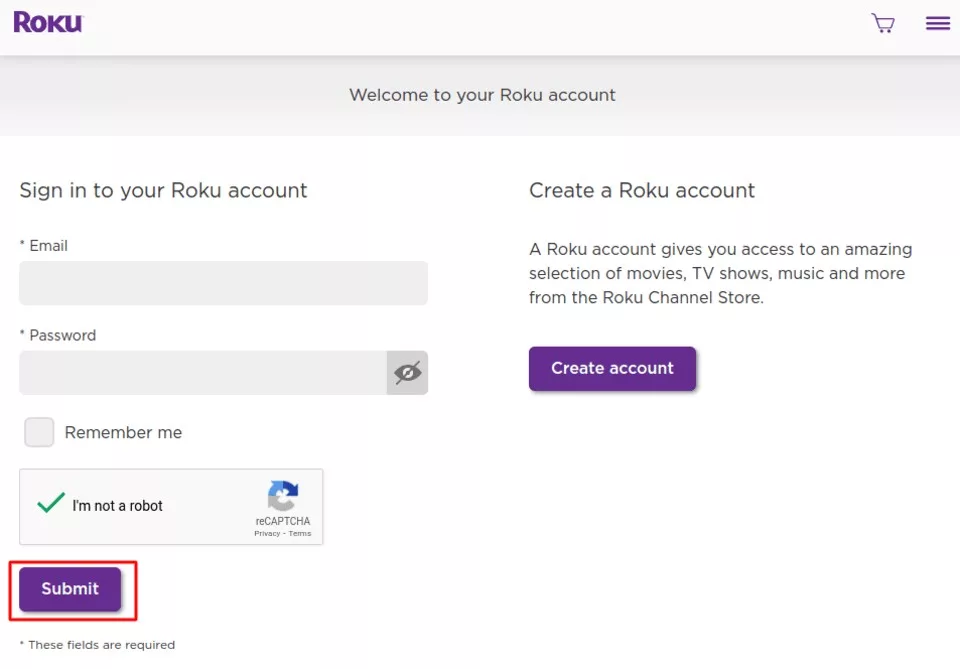
On your computer, open a browser and go to my.roku.com. Enter your Roku account username and password, then click Submit.
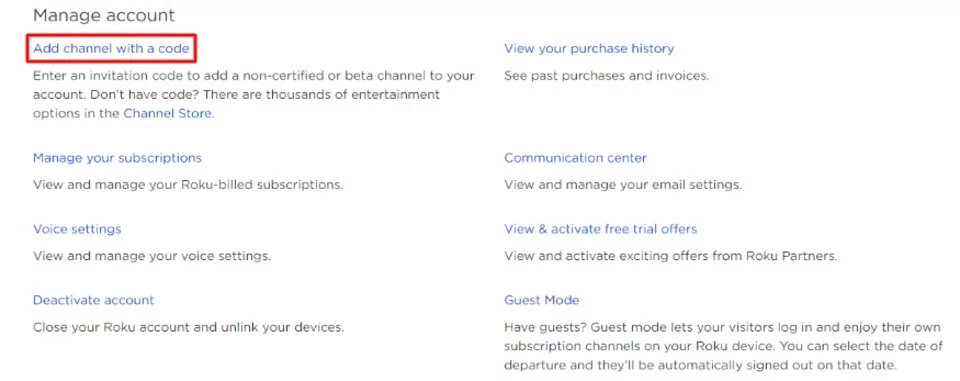
After logging in, go to Manage account and select Add channel with a code.
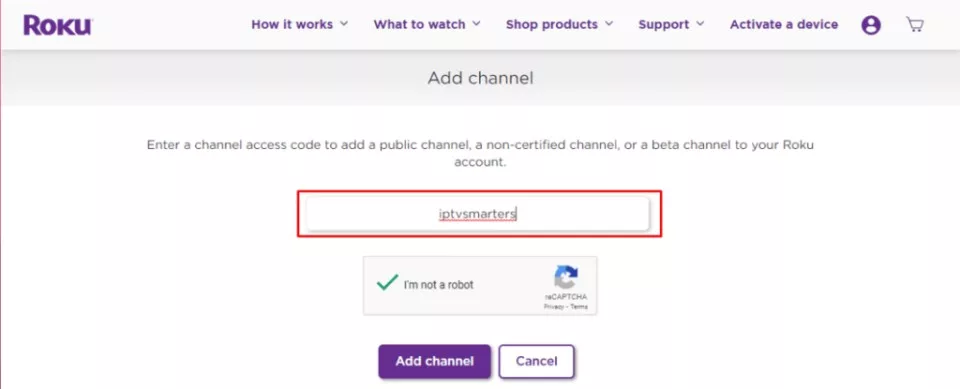
Enter the code “iptvsmarters” to access the IPTV Smarters app.
Click OK on the warning message that pops up.

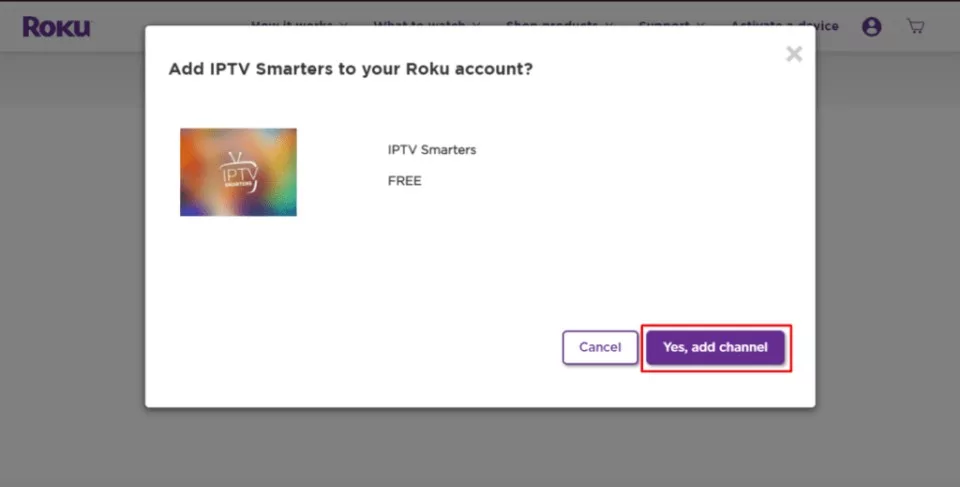
On the next popup, click Yes, add channel.
After adding the channel, upload the IPTV Smarters file from the provided URL to install it on your Roku device.
To do it, you need to launch a browser on your computer and enter the Roku IP address you noted earlier.
When prompted, enter rokudev as the Username and use the webserver password you previously created for the Password. Then, click Sign in.
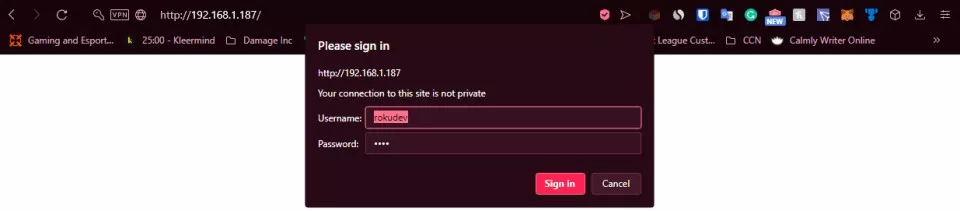
On the next page, click Upload.

Navigate to the location where you downloaded the IPTV Smarters package (e.g., your Desktop). Select the downloaded folder and click Open.
Once the file is uploaded, click Install.
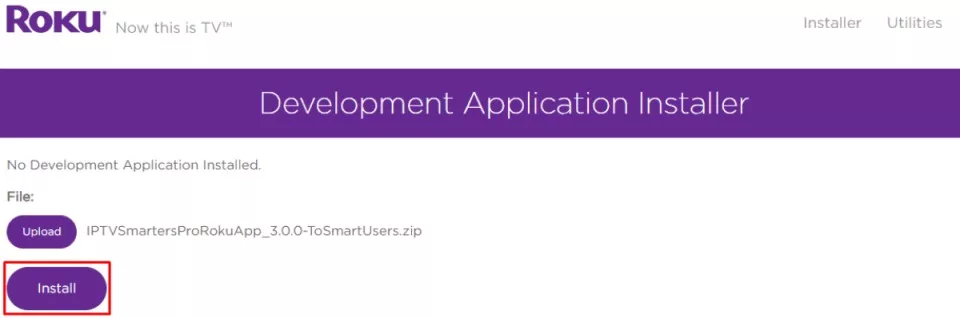
If you see this screen, you’ve done everything correctly!

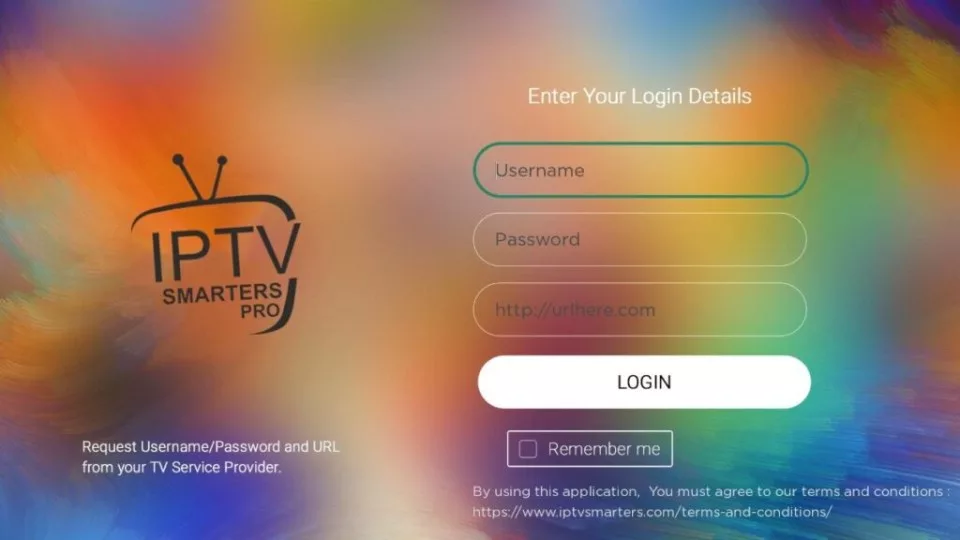
Go back to your Roku device, and you’ll find IPTV Smarters on the TV.
Log in using your IPTV Smarters credentials, and you’re all set!
Methods to Use IPTV on Roku TV
1️⃣ Screen Mirroring (Recommended & Safe)
This is the easiest and safest method.
You can mirror IPTV from:
- Android phone
- Android TV
- Windows PC
- Mac (using compatible apps)
Install an IPTV player such as:
- IPTV Smarters
- TiviMate
- XCIPTV
Then mirror your screen to Roku.
🔗 Download IPTV Smarters:
https://www.iptvsmarters.com/
2️⃣ Casting from Android or PC
If your IPTV app supports casting, you can:
- Open the IPTV app
- Play a channel
- Cast directly to Roku
This works well for live TV and VOD content.
3️⃣ Legal IPTV Apps from Roku Channel Store
Roku supports official streaming services, including:
- Sling TV
- YouTube TV
- Hulu Live TV
- Philo
These apps are safe but do not support custom M3U or Xtream Codes.
Best IPTV Subscription for Roku (Recommended)
For users who want premium channels, sports, movies, and VOD, we recommend:
⭐ Prime4K TV – IPTV Service
- Works with M3U & Xtream Codes
- Compatible with IPTV Smarters
- HD & 4K quality
- Worldwide channels
- Fast & stable servers
👉 Get a FREE Trial (24 Hours):
🔗 https://prime4k.tv/TRIAL/
👉 Main Website:
🔗 https://prime4k.tv
How to Stream IPTV on Roku (Simple Steps)
- Subscribe to Prime4K TV
- Get your M3U URL or Xtream Codes
- Install an IPTV player on Android / PC
- Enable Screen Mirroring on Roku
- Start watching IPTV on Roku TV
📘 For more setup guides, visit our tutorials page:
🔗 IPTV Installation Tutorials:
https://prime4k.tv/iptv-installation-tutorials
Is IPTV Legal on Roku?
✔️ IPTV itself is legal
✔️ Legal depends on the content provider
✔️ Always choose verified IPTV services
Using trusted providers like Prime4K TV ensures a safe and reliable experience.
Contact & Support
📧 Email: support@prime4k.tv
📱 WhatsApp: +1 587 871 8847
🌐 Website: https://prime4k.tv
🎁 Free Trial: https://prime4k.tv/TRIAL/
Frequently Asked Questions (FAQ)
❓ Can Roku install IPTV apps directly?
No. Roku does not support third-party IPTV apps directly.
❓ What is the best way to use IPTV on Roku?
Screen mirroring from Android or PC is the best method.
❓ Do I need an IPTV subscription?
Yes, you need a valid M3U or Xtream Codes subscription.